
Smart Lock Battery Life Problems can be frustrating, especially when you replace the batteries and discover they are dead again only a few days later.
Most smart locks are designed to run for three to six months on a fresh set of batteries. Yet, issues such as deadbolt misalignment, door frame friction, weak Wi-Fi signals, unstable Bluetooth connections, outdated firmware, and incorrect mobile app settings can dramatically shorten battery life.
If your smart lock works with Amazon Alexa, Google Home, Apple HomeKit, or SmartThings, constant network communication may also increase battery consumption when the device struggles to maintain a stable connection.
In many cases, the lock is not defective at all. The real problem is often hidden mechanical resistance, poor signal strength, or settings that force the lock motor to work harder than necessary.
Most battery drain issues can be fixed in minutes.
In this guide, you will learn the seven most common causes of excessive battery drain and the proven solutions that help restore normal battery performance, reduce frequent battery replacements, and keep your smart lock running reliably every day.
Quick Summary: Smart lock battery drain is usually caused by hardware friction, weak Wi-Fi connections, or faulty app configurations. Most locks are engineered to last 3–6 months on a fresh set of batteries, but these hidden issues can drain them in just a few days. Here’s how to find the real cause and fix it fast.
Why Is Your Smart Lock Eating Batteries So Fast?
You installed a brand-new smart lock, popped in fresh AA batteries, and two weeks later, a low battery alert. Again.
You’re not imagining it. Smart lock battery life issues are among the most common complaints in the US smart home community, and most are 100% fixable once you know what’s actually causing the drain.
The core issue isn’t the lock itself. It’s the environment the lock operates in:
- a misaligned deadbolt that fights every turn,
- a Wi-Fi router three rooms away,
- or a mobile app that pings the lock every 30 seconds without you knowing.
This guide covers the 7 most proven solutions, ranked from easiest to most technical, so you can stop guessing and start fixing.
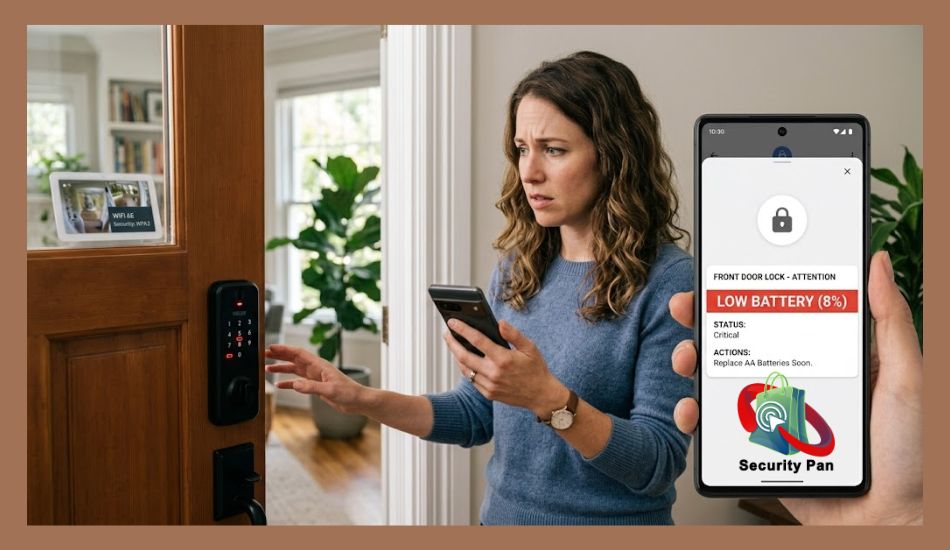
Smart Lock Battery Draining Fast? 7 Expert Solutions for Longer Battery Life
The real causes behind smart lock battery life problems. Before jumping to fixes, it helps to understand the three major drain categories:
| Drain Category | Common Triggers | Typical Severity |
| Mechanical Friction | Misaligned door, sticky deadbolt | High |
| Connectivity Overhead | Weak Wi-Fi, Bluetooth dropout, hub issues | High |
| Software Configuration | Auto-lock frequency, app polling, firmware bugs | Medium |
Most users blame the batteries. The real culprit is almost always in one of these three areas.
7 Proven Solutions to Fix Smart Lock Battery Drain
Most smart locks are designed to provide several months of battery life under normal conditions. When batteries last only days or a few weeks, there is often an underlying issue forcing the lock to use more power than necessary.
Understanding the real cause of battery drain is the first step toward fixing the problem. In the following sections, you will learn how to identify each issue and apply simple solutions that can help your smart lock battery last months instead of days.
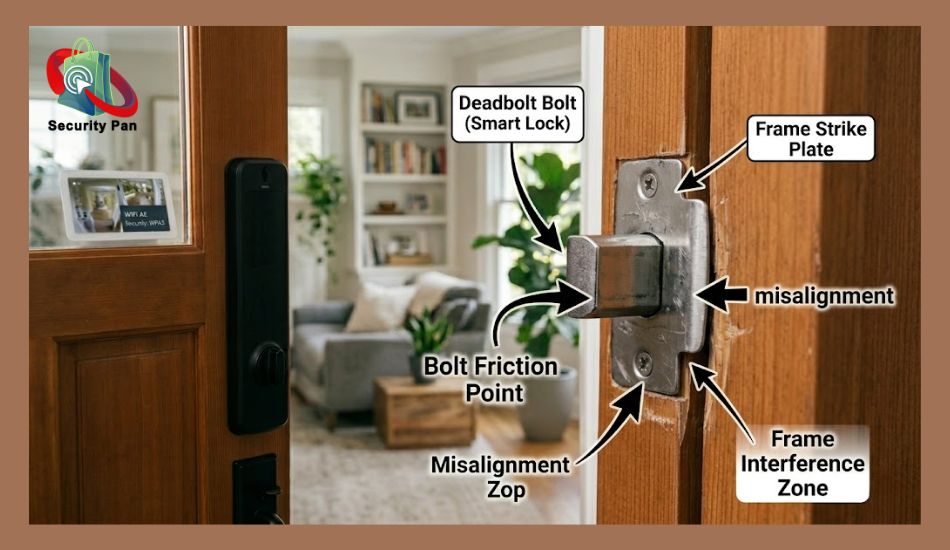
Solution 1: Realign Your Door and Deadbolt First
This is the number one overlooked fix. If your deadbolt is even slightly misaligned with the strike plate, the motor works overtime on every cycle, burning through battery power at 3–5x the normal rate.
How to check: Smart Lock Battery Life Problems
- Manually test the deadbolt without the smart lock motor. Does it slide smoothly? Any resistance?
- Close your door and look at the gap between the door and the frame. It should be even from top to bottom.
- Mark where the bolt lands on the strike plate with a pencil and close the door. If the mark is off-center, the plate needs adjustment.
How to fix: Smart Lock Battery Life Problems
- Loosen the strike plate screws, shift the plate to align with the bolt path, and re-tighten.
- If the door sags, tightening the top door hinge first is the most common root cause.
- Apply dry PTFE lubricant (not WD-40) to the bolt mechanism twice a year.
A properly aligned door can cut motor workload in half, doubling your expected battery life overnight.
Solution 2: Upgrade to the Right Battery Type
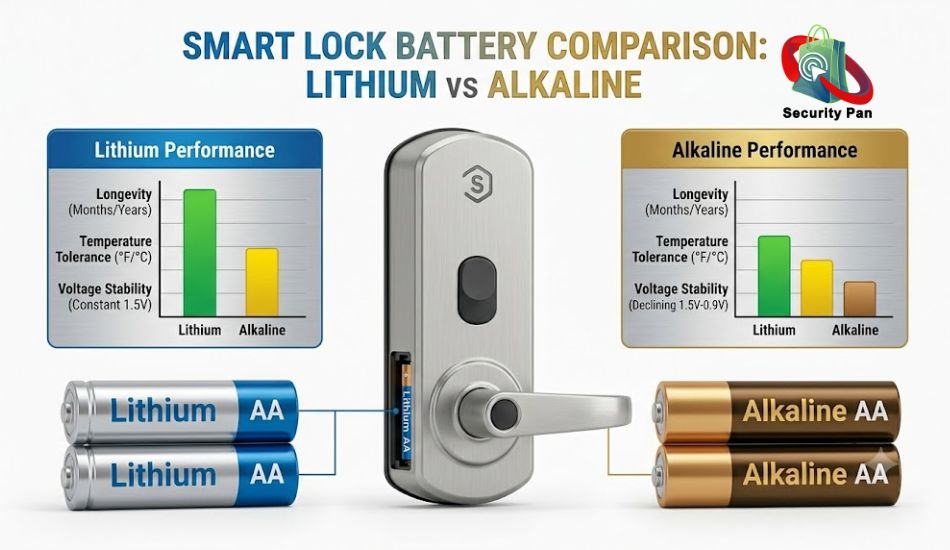
Not all AA batteries or AAA batteries perform the same in smart locks. Most manufacturers design and test their locks using lithium batteries, but most homeowners load them with cheap alkaline cells from a big-box store.
The performance difference is significant:
| Battery Type | Avg. Smart Lock Lifespan | Cold Weather Performance |
| Cheap alkaline (store brand) | 4–8 weeks | Poor (voltage drop in cold) |
| Premium alkaline (Duracell, Energizer) | 2–4 months | Fair |
| Lithium (Energizer Ultimate, Amazon Basics Lithium) | 4–8 months | Excellent |
| Rechargeable NiMH (Eneloop) | 6–10 weeks per charge | Moderate |
Recommendation for most US homeowners:
Use lithium AA batteries (Energizer Ultimate Lithium or Panasonic Eneloop Pro). They maintain stable voltage across the full discharge curve, which is critical for smart lock motors that need consistent power to operate the keypad, radio, and motor simultaneously.
Avoid rechargeable NiMH if you live in a cold climate, as they suffer significant voltage drop below 50°F, triggering false “low battery” alerts even at 80% charge.

Solution 3: Fix Your Wi-Fi and Bluetooth Signal Strength
Smart locks with Wi-Fi capability (August Wi-Fi, Schlage Encode, Yale Assure 2) are the biggest battery consumers in their category. A lock that struggles to maintain a stable connection will continuously re-establish that connection, consuming significant power in the process.
Diagnose your signal first:
- Stand at your front door and run a Wi-Fi speed test on your phone. If you’re getting below 10 Mbps or seeing frequent drops, your lock is working in a poor signal environment.
- Check your router’s 2.4 GHz band. Most smart locks connect on 2.4 GHz, not 5 GHz. Confirm the correct band is enabled.
Fixes ranked by effectiveness:
- Move your router closer to the front door, or reposition it away from appliances (microwaves, cordless phones) that cause 2.4 GHz interference.
- Add a Wi-Fi extender or mesh node within 15 feet of the lock. Google Nest WiFi and Eero are commonly recommended for smart home setups.
- Switch to Bluetooth + Smart Home Hub locks like the August Smart Lock Pro use Bluetooth (low energy) as the primary radio and Wi-Fi only as a bridge through a hub. This dramatically reduces battery consumption versus direct Wi-Fi.
- Reduce Z-Wave/Zigbee interference if you have other smart home devices, and check that channels aren’t overlapping. SmartThings and Hubitat let you manually set the Zigbee channel in settings.
Solution 4: Adjust Auto-Lock Timing and App Settings
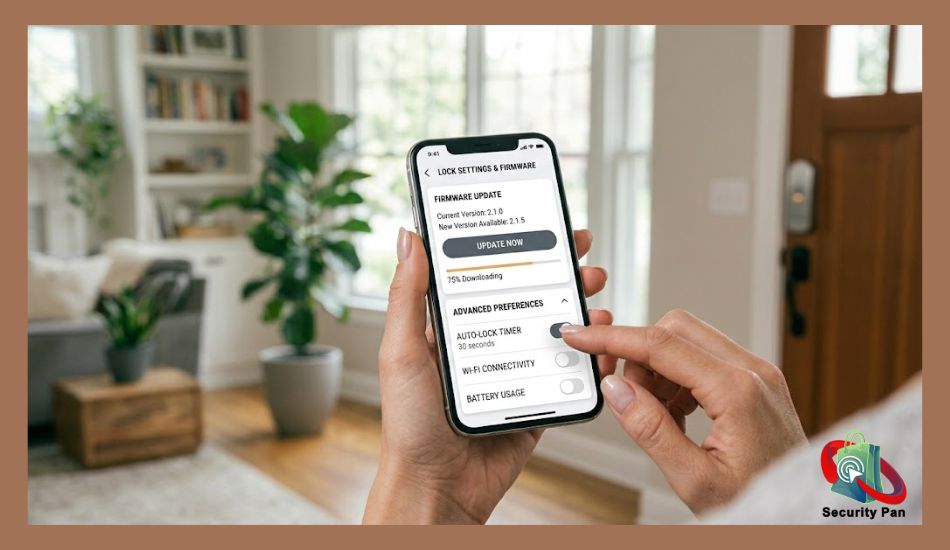
This is one of the most common smart lock battery life problems that nobody talks about: the app is quietly draining your batteries through excessive polling and poorly configured auto-lock settings.
Check these settings in your lock’s companion app:
1. Auto-Lock Frequency: Every auto-lock cycle runs the motor. If you have auto-lock set to every 1 minute, that’s 1,440 motor cycles per day even when nobody is using the door. Extend auto-lock to 5–10 minutes unless your security needs require otherwise.
2. DoorSense / Door Position Sensor: August, Schlage, and Yale locks with door sensors constantly monitor door status. If your DoorSense magnet is misaligned, the lock thinks the door is repeatedly opening and closing, triggering constant alerts and potential re-lock attempts. Recalibrate the sensor per your app’s instructions.
3. Access Logs and Activity History: Every log entry requires the lock to wake its radio, authenticate, and transmit data. Reduce log retention or disable detailed history logging if your setup allows.
4. Geofencing: If you use geofencing to auto-unlock as you approach, the lock’s Bluetooth module stays active, scanning for your phone. This is a known battery drain on models like the August Wi-Fi Smart Lock. Consider scheduling geofencing only during typical arrival hours rather than 24/7.
Solution 5: Update Firmware and App Smart Lock Battery Life Problems, Then Check Again
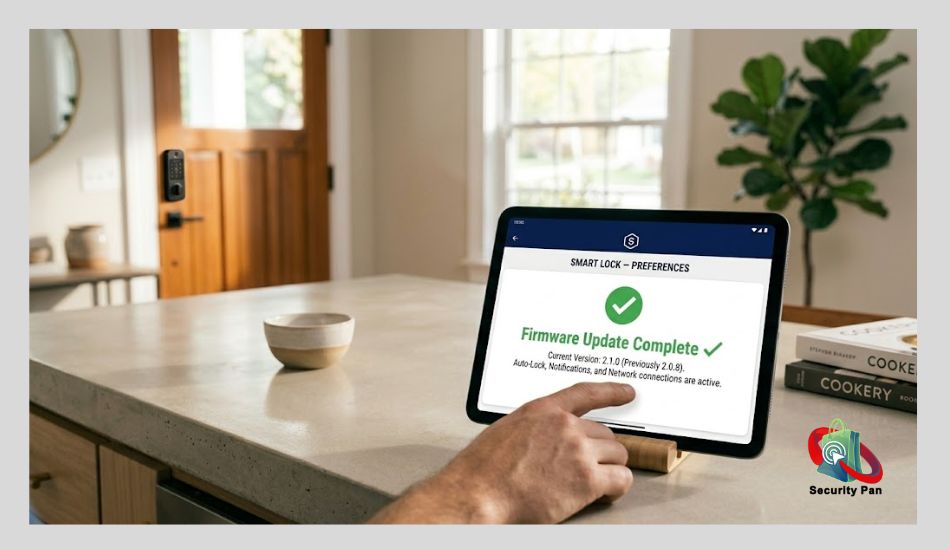
Firmware bugs are responsible for a surprisingly large percentage of smart lock battery drain reports on Reddit, the August Community Forum, and Schlage’s support pages. A software loop, a radio that fails to sleep properly, or a broken handshake with a hub can keep your lock’s processor partially awake around the clock.
Steps: Update Firmware App Smart Lock Battery Life Problems
- Open your lock’s companion app and navigate to Device Settings → Firmware.
- Install any pending firmware updates. Some brands (Yale, Schlage) push OTA updates automatically; others require manual installation.
- Force-closing the companion app and reopening it clears any stale polling states.
- If you use a third-party platform (SmartThings, Home Assistant, Apple Home), check that the integration handler is also up to date.
Known firmware-related drain issues as of 2025:
- August Wi-Fi Smart Lock Gen 4: Earlier firmware versions caused the Wi-Fi module to fail to enter sleep mode. Fixed in firmware v1.59+.
- Schlage Encode Plus: A Bluetooth certification update in late 2024 resolved a background scanning loop.
- Yale Assure Lock 2: Check for the November 2024 update that addressed auto-lock timer drift.
If your lock recently started draining faster after an update, check the manufacturer’s community forum, and rolling back to the prior firmware version is sometimes an option through customer support.
Solution 6: Inspect and Clean the Lock’s Internal Contacts
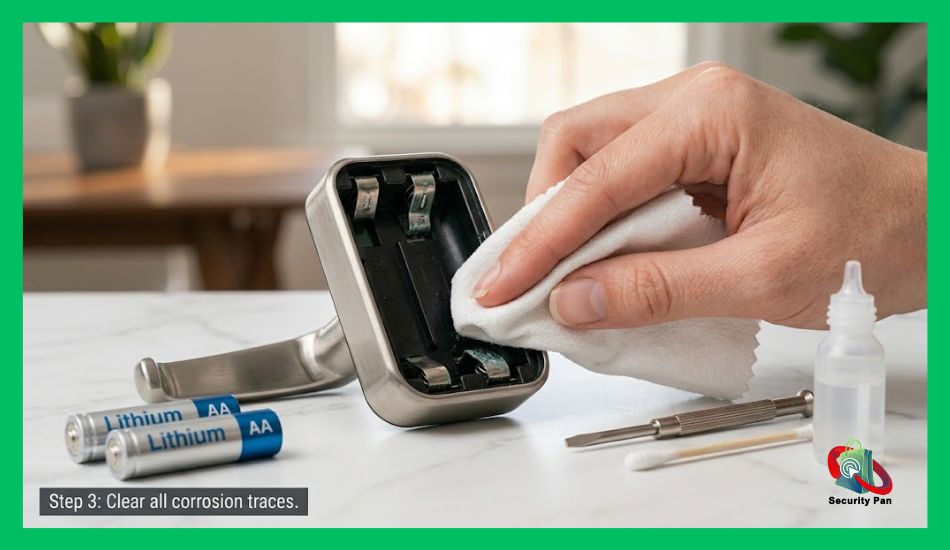
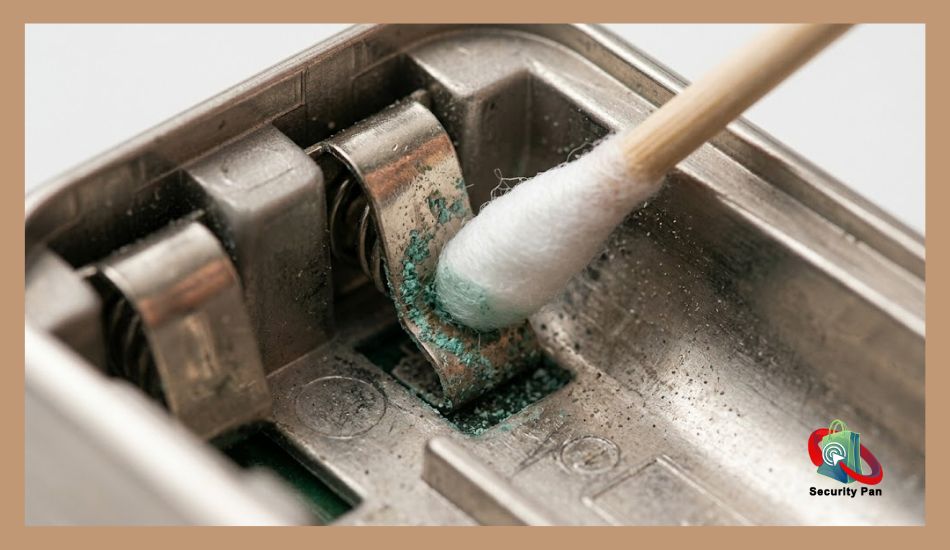
Battery contact corrosion is a slow, invisible battery killer. Even a thin layer of oxidation on the metal terminals inside the battery compartment can increase electrical resistance enough to waste significant energy as heat rather than useful work.
This is especially common if:
- You live in a humid climate (Florida, Louisiana, Pacific Northwest)
- You’ve had the same lock for 2+ years
- Have you ever installed a leaking battery
How to clean the contacts:
- Remove all batteries and set them aside.
- Inspect the spring contacts and flat terminals for any white, green, or bluish residue.
- Dip a cotton swab in 90%+ isopropyl alcohol and gently scrub each contact until it shines.
- Allow to fully dry (5 minutes) before reinstalling batteries.
- Use a pencil eraser as an alternative abrasive for stubborn oxidation, then follow with the alcohol wipe.
After cleaning, insert fresh lithium batteries and monitor drain rate for one week. Many users report this single fix resolving chronic “batteries die in two weeks” issues entirely.
Solution 7: Evaluate Your Lock Model’s Baseline Power Profile
Not all smart locks are created equal when it comes to power efficiency. If you’ve applied all six fixes above and still see poor battery life, the honest answer may be that your specific lock model has a higher-than-average power draw by design.
US smart lock power efficiency comparison (approximate battery life on lithium AA):
| Lock Model | Connection Type | Expected Battery Life |
| Schlage BE489WB Encode Plus | Wi-Fi + Bluetooth | 6–12 months |
| Yale Assure Lock 2 (Bluetooth) | Bluetooth only | 8–12 months |
| August Wi-Fi Smart Lock (4th gen) | Wi-Fi + Bluetooth | 3–6 months |
| Kwikset Halo Touch | Wi-Fi | 3–5 months |
| Level Lock+ | Bluetooth only | 12+ months |
| Ultraloq U-Bolt Pro | Wi-Fi + Bluetooth | 4–8 months |
Key insight: Bluetooth-only locks consistently outperform Wi-Fi-enabled models on battery life by 2–3x. If your primary use case is local app control or keypad entry, a Bluetooth-only or Bluetooth + hub model will serve you significantly better than a direct Wi-Fi lock.
Quick Troubleshooting Reference: Smart Lock Battery Life Problems
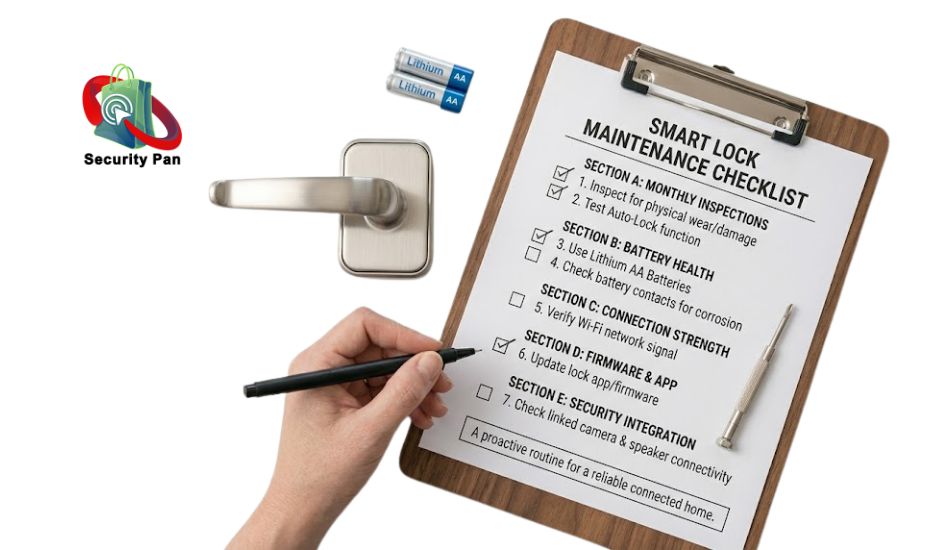
Use this checklist before replacing your lock or calling support:
- Door and deadbolt are properly aligned (smooth manual operation)
- Using lithium AA batteries (not alkaline or rechargeable)
- Wi-Fi signal is strong at the front door (15+ Mbps on the 2.4 GHz band)
- Auto-lock interval is set to 5+ minutes
- DoorSense / door sensor is properly calibrated
- Geofencing set to scheduled hours only
- Firmware is fully updated
- Battery contacts are clean and corrosion-free
- Lock model’s native battery life meets your expectations
If you’ve checked everything on this list and still see the drain faster than the manufacturer’s rated minimum, contact support. Some units have manufacturing defects in the motor assembly or radio module that cause abnormal power consumption.
Smart Lock Battery Maintenance Tips
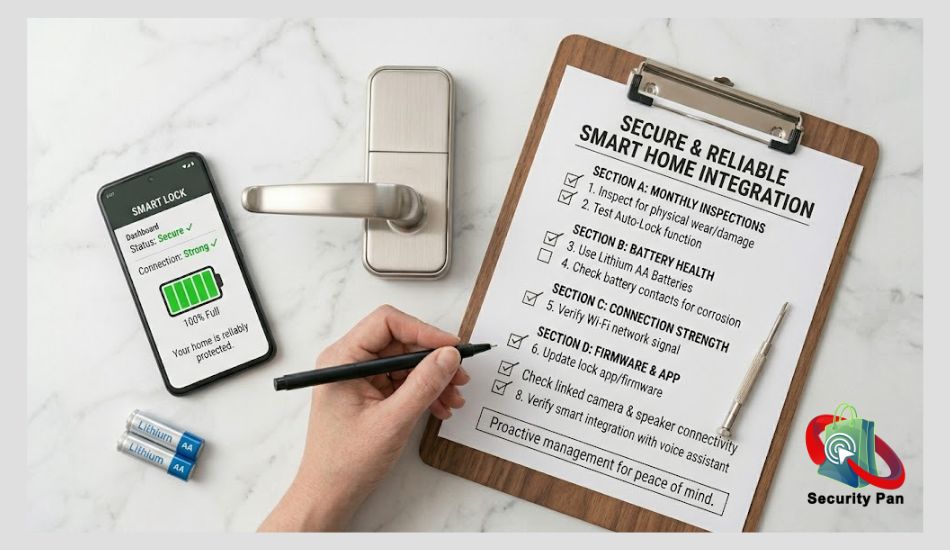
Fixing battery drain is important, but preventing it from coming back is even better. A few simple maintenance habits can help your smart lock run more efficiently, extend battery life, and reduce the risk of unexpected lock failures. Regular checks also help you spot small problems before they turn into expensive repairs.
1. Monthly Checks
A quick inspection once a month can help keep your smart lock operating at peak performance.
During your monthly check:
- Test the lock and unlock function several times.
- Listen for unusual motor noises or grinding sounds.
- Check that the deadbolt moves smoothly without resistance.
- Review battery levels in the mobile app.
- Verify that Wi-Fi or Bluetooth connections remain stable.
- Check activity logs for unusual lock behavior.
- Make sure firmware updates are installed.
These simple checks take only a few minutes but can prevent many common Smart Lock Battery Life Problems.
2. Seasonal Maintenance
Changes in temperature and humidity can affect both batteries and lock performance. Seasonal maintenance helps your smart lock adapt to changing weather conditions throughout the year.
At the start of each season:
- Inspect the door frame for shifting or alignment issues.
- Tighten loose screws on the lock and strike plate.
- Clean dirt and dust from the lock exterior.
- Check battery contacts for corrosion.
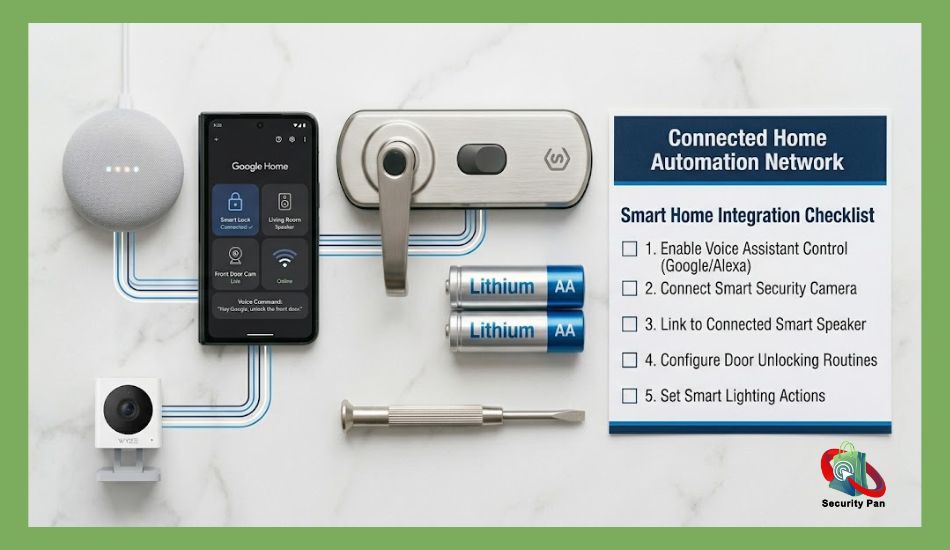
- Test smart home integrations such as Amazon Alexa, Google Home, Apple HomeKit, and SmartThings.
- Confirm that the lock connects properly to your home network.
Cold winter temperatures can reduce battery performance, while summer humidity may affect electronic components. Regular seasonal inspections help identify these issues early.
3. Battery Replacement Schedule
Even when batteries still appear to have charge, replacing them on a planned schedule helps prevent sudden lock failures.
Use this general guideline:
| Battery Type | Recommended Replacement Schedule |
| Alkaline AA Batteries | Every 3–6 Months |
| Lithium AA Batteries | Every 6–12 Months |
| High-Traffic Entry Doors | Every 3–4 Months |
| Low-Traffic Entry Doors | Every 6–12 Months |
Do not wait until the battery is completely depleted. Most smart locks provide low-battery warnings through their mobile apps. Replacing batteries soon after receiving these alerts helps maintain reliable operation and prevents lockouts.
By combining monthly inspections, seasonal maintenance, and a proactive battery replacement schedule, you can maximize battery life, improve lock reliability, and avoid many of the issues that cause excessive battery drain.
Conclusion: Smart Lock Battery Life Problems: Causes, Fixes, and Maintenance Tips.
Smart lock battery life problems almost always have a fixable cause. Start with the mechanical check, and a sticky deadbolt is the highest-impact, lowest-effort fix available to most homeowners.
Then layer in the connectivity and software optimizations, and switch to lithium batteries if you haven’t already.
Most US homeowners who work through this list move from “batteries every two weeks” to “batteries every 4–6 months” without touching their lock’s hardware.
The 7 solutions above, applied in order, address the root cause of roughly 95% of reported smart lock battery-drain cases. Work through them systematically, and you’ll have a reliable, long-lasting smart lock that earns its spot on your front door.
Helpful article: Keyless Entry Systems Pros and Cons: Real Problems, Real Solutions Update 2026.
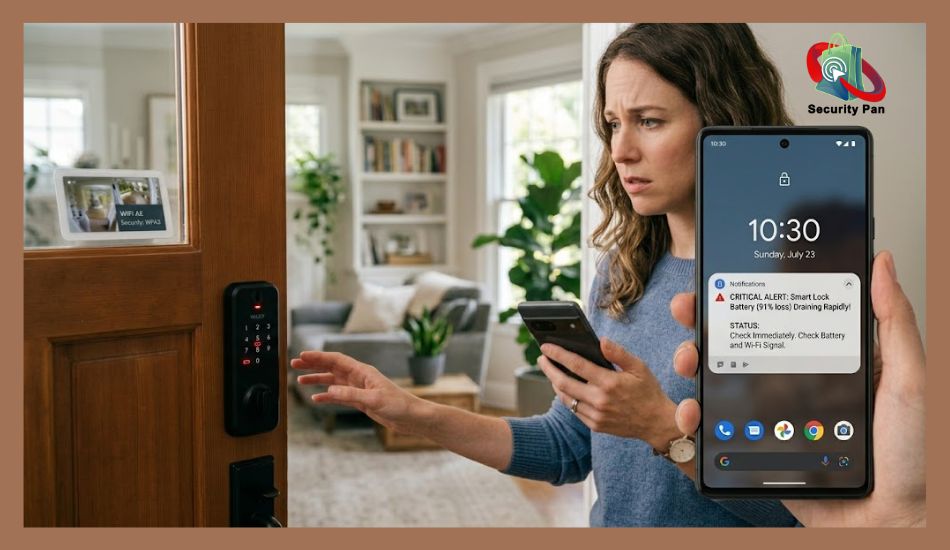
FAQs: How to Fix Smart Lock Battery Drain and Extend Battery Life?
1. How long should smart lock batteries actually last?
Most quality smart locks are rated for 3–12 months depending on model, connection type, and usage frequency. Wi-Fi models drain faster than Bluetooth-only models. High-traffic doors (used 20+ times per day) will drain faster than low-traffic doors.
2. Why does cold weather kill my smart lock batteries faster?
Alkaline batteries experience a significant voltage drop below 50°F, which causes the lock’s motor controller to draw more current to compensate. Lithium batteries maintain stable voltage down to -40°F, making them the correct choice for any outdoor installation in US climates with real winters.
3. Can I use rechargeable batteries in my smart lock?
Yes, with caveats. NiMH rechargeable batteries (like Eneloop) work well in mild climates and moderate-use situations. They operate at 1.2V vs. the 1.5V of alkaline and lithium cells, which can trigger earlier “low battery” warnings. Some lock models don’t officially support rechargeable. Check your manual.
4. My lock shows “low battery,” but the batteries are new. Why?
This is almost always a DoorSense sensor misalignment issue or a firmware bug. Recalibrate your door sensor first. If the alert persists with known-fresh lithium batteries, update the firmware or contact support.
5. Does enabling voice assistant control (Alexa, Google Home) drain batteries faster?
Slightly, yes. Integrations that require the lock to maintain an active cloud connection increase background radio activity. If battery life is a priority, limit integrations to local-only protocols (Bluetooth, Z-Wave, Zigbee) rather than cloud-dependent voice assistant bridges.

