
What is two-factor authentication? It is a simple way to add another layer of protection to your online accounts. Instead of using only your password to log in, you also prove that you have something else, such as your phone, an authenticator app, a security key, or another approved method.
So, even if someone gets your password, they may still be blocked from your account. You may already disable two-factor authentication without notifying it. For example, you enter your password, then enter a one-time password (OTP) sent to your phone or shown in an authenticator app.
Other methods can use something you have, such as a security key, or something you are, such as your fingerprint. These methods are part of the wider idea of multi-factor authentication (MFA), which uses two or more different authentication factors.
This matters because a stolen password can put your email, social media, work files, and other accounts at risk. Two-factor authentication gives an attacker one more barrier to cross. But not every method offers the same level of protection.
For example, NIST notes that some OTP methods are not phishing-resistant, so choosing the right method matters too.
In this guide, you’ll learn what 2FA means, how it works, the different types of authentication factors, which methods you can use, and how 2FA can help reduce the risk of account takeover.
What Is Two-Factor Authentication?
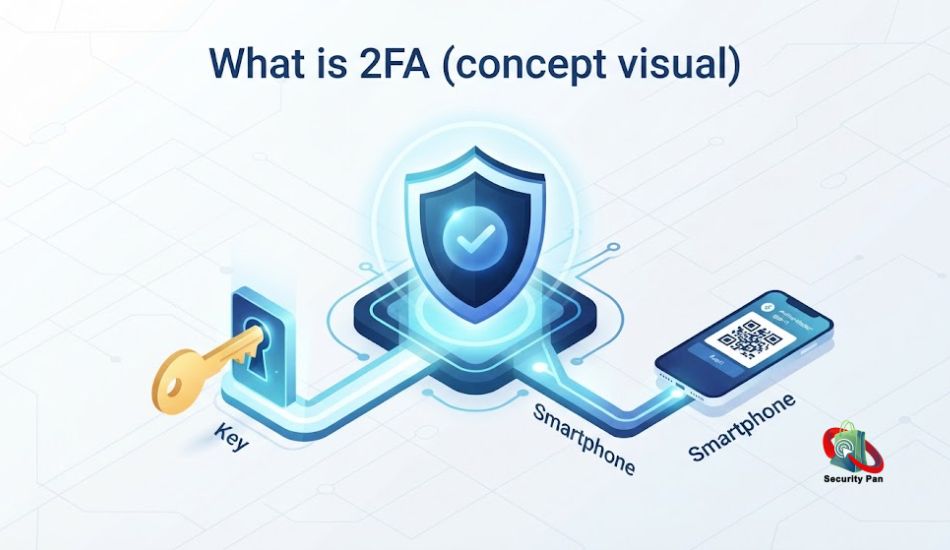
Two-factor authentication (2FA) is a security process that requires you to verify your identity in two different ways before you can log into an account. Instead of relying on a password alone, 2FA adds a second checkpoint, usually something only you have access to, like your phone or a physical security key.
Think of it like a bank vault that needs both a key and a combination code. A thief might steal your key (your password), but without the code (your second factor), the vault stays locked.
2FA is a subset of a broader concept called multi-factor authentication (MFA), which can use two or more verification steps. In everyday use, “2FA” and “MFA” are often used interchangeably.
Why Two-Factor Authentication Matters
Passwords alone are no longer enough. Data breaches, phishing emails, and credential-stuffing attacks expose billions of passwords every year, and many people reuse the same password across multiple sites. Once one account is compromised, attackers often try that same password everywhere else.
Two-factor authentication closes that gap. Even if a hacker steals or guesses your password, they still can’t get in without your second factor, the code on your phone, the fingerprint on your device, or the security key in your pocket.
Security researchers and major tech companies consistently point to 2FA as one of the highest-impact, lowest-effort steps an individual can take to prevent account takeover.
The Three Types of Authentication Factors
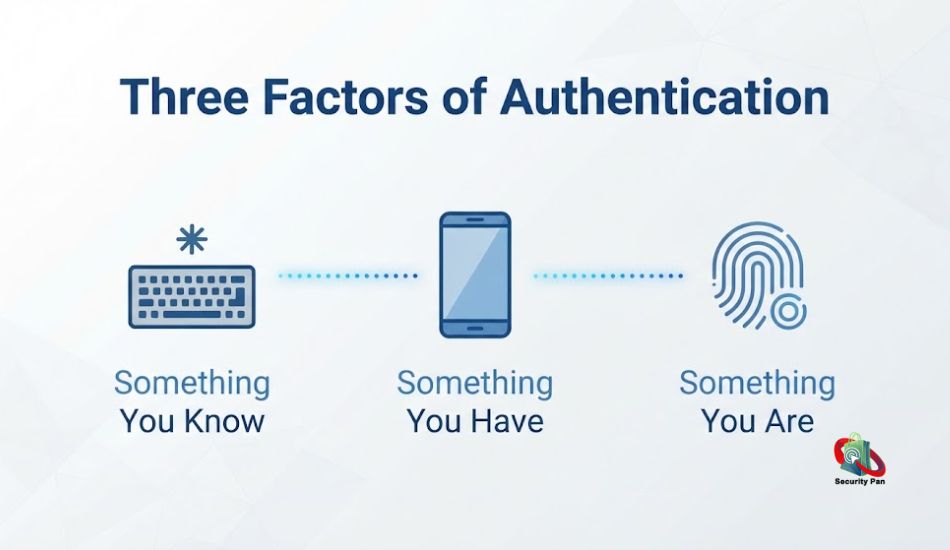
Every authentication method falls into one of three categories, often summarized as “something you know, something you have, something you are.”
1. Something You Know
This is your password, PIN, or the answer to a security question. It’s the factor most people already rely on and, unfortunately, the easiest for attackers to steal through phishing or data leaks.
2. Something You Have
This includes your smartphone, a hardware security key (like a YubiKey), or a code-generating authenticator app. Because attackers usually don’t have physical access to your devices, this factor is much harder to compromise remotely.
3. Something You Are
This covers biometric fingerprints, facial recognition, or voice patterns. It’s unique to you and can’t easily be guessed, though it does require compatible hardware like a smartphone camera or fingerprint sensor.
Two-factor authentication combines any two of these categories. Most commonly, that means your password (something you know) plus a code from your phone (something you have).
Common Types of Two-Factor Authentication
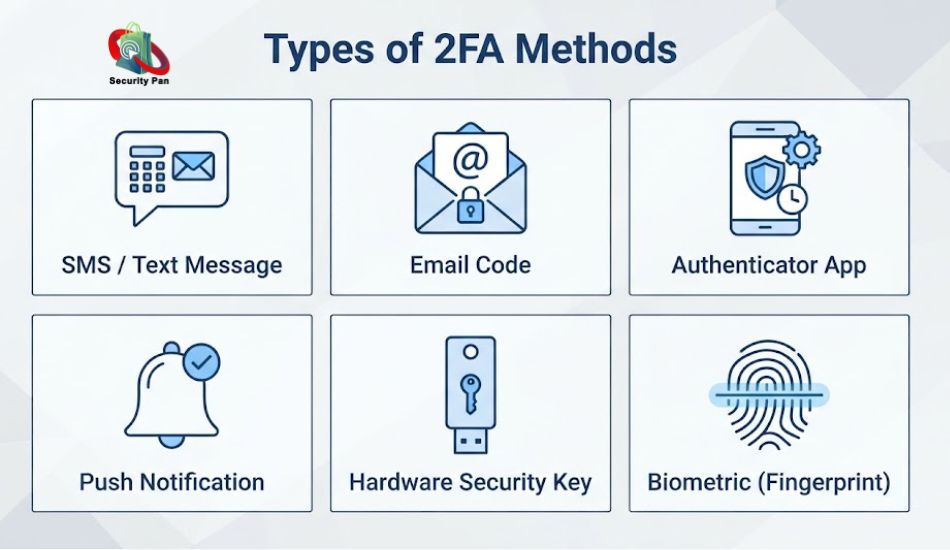
Not all 2FA methods offer the same level of protection. Here’s a quick rundown, roughly ordered from least to most secure:
- SMS text codes: A one-time code sent to your phone number. Convenient, but vulnerable to SIM-swapping attacks.
- Email codes: A backup code is sent to your inbox. Useful, but only as secure as your email account itself.
- Authenticator apps: Apps like Google Authenticator or Authy generate time-based codes directly on your device, without needing a network connection.
- Push notifications: A prompt on your phone asking you to approve or deny a login attempt.
- Hardware security keys: Physical USB or NFC devices you tap or plug in to confirm your identity. Considered the gold standard for resisting phishing.
- Biometric verification: Fingerprint or facial recognition, often paired with a device-based factor.
For most beginners, an authenticator app offers the best balance of security and convenience.
How to Set Up Two-Factor Authentication
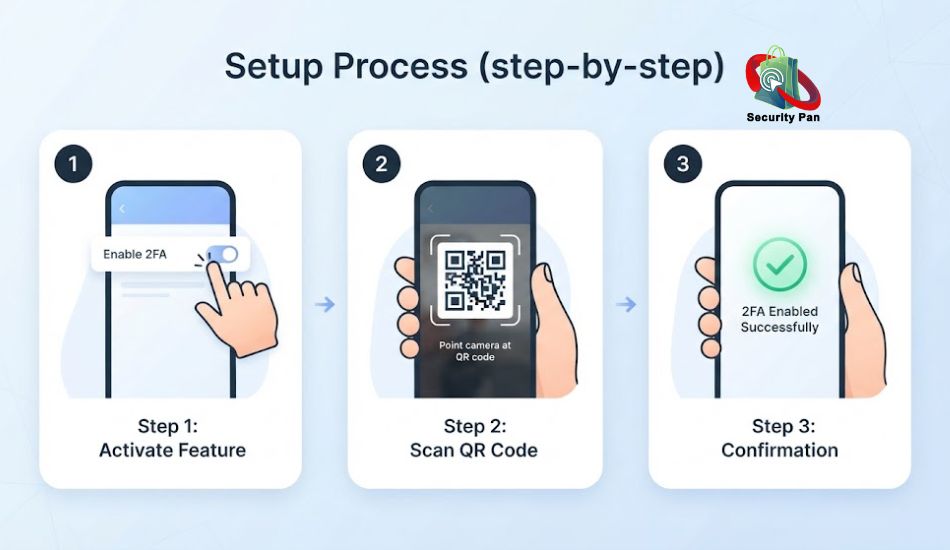
Turning on 2FA usually takes less than five minutes per account. Here’s the general process:
- Open the security or account settings for the service (email, banking, social media, etc.).
- Look for “Two-Factor Authentication,” “2-Step Verification,” or “Multi-Factor Authentication.”
- Choose your preferred method. An authenticator app is recommended over SMS when available.
- Scan the QR code with your authenticator app, or enter your phone number for SMS codes.
- Save your backup codes somewhere safe, in case you lose access to your primary device.
- Confirm setup by entering the code generated on your device.
Start with your email account first it’s often the recovery method for everything else you own online, which makes it a prime target.
Common Mistakes to Avoid: What is two-factor authentication?
- Skipping backup codes: If you lose your phone without saved backup codes, you could get locked out of your own account.
- Relying only on SMS: SMS is better than nothing, but it’s the weakest 2FA option due to SIM-swap risks.
- Reusing the same recovery email everywhere: If that inbox is compromised, every linked account becomes vulnerable too.
- Ignoring login alerts: Many services notify you of new sign-in attempts; don’t dismiss them without checking.
Is Two-Factor Authentication Enough on Its Own?
2FA dramatically reduces your risk, but it isn’t a silver bullet. It works best as one layer in a broader security routine that includes strong, unique passwords, regular software updates, and awareness of phishing tactics.
If you want to understand how attackers actually try to bypass these defenses, our Ethical Hacking guide breaks down the techniques security professionals use to test and strengthen real-world systems.
2FA also matters beyond your laptop and phone. As more everyday devices connect to the internet, weak authentication becomes a bigger risk across your entire digital footprint. Our guide to IoT security covers how to protect smart home devices that often get overlooked.
Conclusion: What Is Two-Factor Authentication? A Beginner’s Guide to 2FA -2026
Two-factor authentication is one of the easiest, highest-impact security habits you can adopt. It takes a few minutes to set up per account and turns a stolen password from a disaster into a non-event. Start with your email, banking, and social accounts today, future you will be glad you did.
If you’ve ever logged into an account and been asked to enter a code from your phone right after your password, you’ve already used two-factor authentication. It’s one of the simplest, most effective habits you can build to keep hackers out of your accounts, and yet millions of people still skip it.
In this guide, I’ll break down exactly what two-factor authentication is, how it works, why it matters, and how to turn it on across your most important accounts. No jargon, no fluff, and the practical basics every beginner should know.
Helpful article: Top Cybersecurity Problems and Solutions in 2026: What Every User Needs to Know Right Now?
FAQs: What is two-factor authentication? Beginner’s Guide.
1. Is two-factor authentication free to use?
Yes. Most services offer 2FA at no extra cost, whether through SMS, an authenticator app, or built-in biometrics on your device.
2. Can hackers bypass two-factor authentication?
It’s possible but significantly harder. Sophisticated attacks like SIM-swapping or real-time phishing kits can target weaker forms of 2FA, which is why hardware keys and authenticator apps are recommended over SMS.
3. What’s the difference between 2FA and MFA?
2FA specifically uses two verification factors. MFA is the broader term for any authentication requiring two or more factors.
4. Do I need 2FA if I already have a strong password?
Yes. A strong password protects against guessing, but it can’t stop phishing or data breaches. 2FA adds protection even if your password is exposed.

